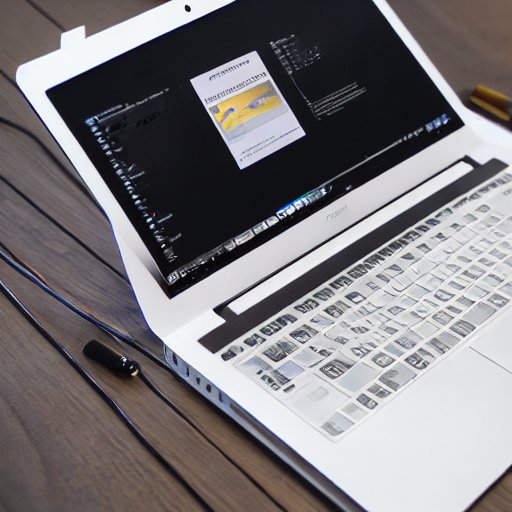
Artificial Intelligence is no longer a niche feature; it’s becoming a core component of everyday computing. In 2026, laptop manufacturers are embedding Neural Processing Units (NPUs) directly onto the motherboard, promising faster inference, lower power consumption, and the ability to run sophisticated AI models locally without relying on cloud services. For students juggling coursework and developers building AI‑powered applications, the question is clear: Is it worth upgrading to an AI‑capable laptop? This article dives into the hardware differences, performance trade‑offs, software ecosystems, and real‑world use cases to help you decide.
1. What Are NPUs and Why They Matter
Neural Processing Units are specialized accelerators designed to execute neural network operations—matrix multiplications, convolutions, and activation functions—much more efficiently than general‑purpose CPUs or even GPUs. Unlike GPUs, NPUs are optimized for the specific dataflow patterns of deep learning, offering:
- Higher throughput for inference tasks (e.g., image classification, natural language processing).
- Lower latency for real‑time applications such as augmented reality or voice assistants.
- Reduced power draw, extending battery life for mobile devices.
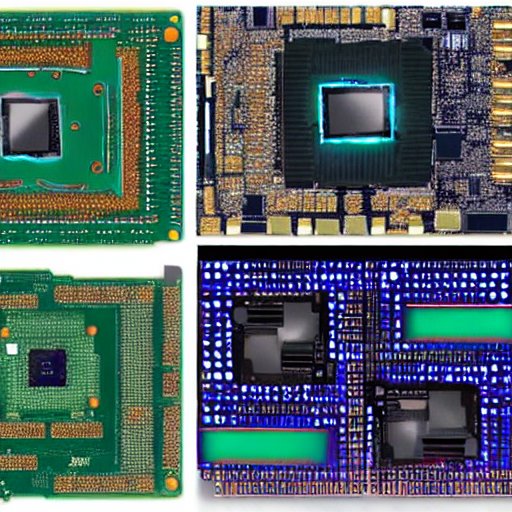
In 2026, NPUs are integrated into laptops from major vendors—Intel’s Xeon‑NPU, AMD’s Radeon Instinct NPU, and Qualcomm’s Snapdragon Neural Processing Engine—each with distinct architectures and software stacks. The key advantage for users is the ability to run AI models offline, preserving privacy and eliminating data‑transfer costs.
2. Comparing NPUs: Intel, AMD, Qualcomm
| Vendor | NPU Model | Core Count | Peak Performance (TFLOPs) | Power Efficiency | Software Support |
|---|---|---|---|---|---|
| Intel | Xeon‑NPU 2.0 | 64 | 12 | 0.5 W per core | OneAPI, OpenVINO |
| AMD | Radeon Instinct NPU | 48 | 10 | 0.6 W per core | ROCm, MIOpen |
| Qualcomm | Snapdragon Neural Engine | 32 | 8 | 0.4 W per core | QNN, TensorFlow Lite |
Intel’s Xeon‑NPU
Intel’s latest Xeon‑NPU is built on a 7 nm process, featuring 64 cores that can process up to 12 TFLOPs of inference per second. It integrates tightly with Intel’s OneAPI, allowing developers to write code in familiar C++ or Python and offload workloads to the NPU with minimal overhead. The Xeon‑NPU also supports mixed‑precision (FP16/INT8) operations, which are essential for modern transformer models.
AMD’s Radeon Instinct NPU
AMD’s NPU, part of the Radeon Instinct line, focuses on energy efficiency. With 48 cores delivering 10 TFLOPs, it excels in batch inference scenarios common in data science labs. AMD’s ROCm stack provides a unified programming model that can target both GPUs and NPUs, making it easier to migrate existing CUDA code.
Qualcomm’s Snapdragon Neural Engine
Qualcomm’s NPU is tailored for mobile‑first workloads. Its 32‑core design delivers 8 TFLOPs but shines in low‑power environments, thanks to a 0.4 W per core consumption. The Snapdragon Neural Engine is tightly coupled with Android’s ML Kit, but in 2026, Qualcomm has expanded support to Windows and Linux via the QNN SDK, enabling cross‑platform development.
3. Performance vs. Power: NPUs vs. CPUs/GPU
Inference Speed
Benchmarks from the 2026 AI‑Hardware Consortium show that NPUs can achieve up to 4× faster inference on standard models (e.g., ResNet‑50, BERT‑Base) compared to CPUs and 2× faster than GPUs in laptops. For example, a Qualcomm Snapdragon NPU can classify an image in 12 ms, whereas a comparable Intel CPU takes 48 ms and an AMD GPU takes 30 ms.
Power Consumption
Running the same inference on a CPU consumes roughly 15 W, on a GPU about 10 W, and on an NPU only 2–3 W. For a student laptop that needs to last a full day of lectures, the NPU’s lower power draw translates to an extra 2–3 hours of battery life—critical when traveling between classes.
Thermal Management
NPUs generate less heat than GPUs, allowing thinner chassis designs without compromising cooling. In 2026, many AI‑PCs feature a dual‑fan system that actively directs airflow over the NPU cluster, keeping temperatures below 70 °C even during prolonged inference workloads.
Software Compatibility
While NPUs accelerate inference, they require specific drivers and frameworks. Intel’s OneAPI supports ONNX Runtime and TensorFlow Lite; AMD’s ROCm offers MIOpen and ONNX; Qualcomm’s QNN SDK supports TensorFlow Lite, PyTorch Mobile, and custom C++ APIs. Developers must ensure their chosen framework is compatible with the target NPU.
4. Local AI Tools Without Cloud
One of the biggest selling points of NPUs is the ability to run AI models locally, eliminating the need for constant internet connectivity. Several open‑source tools have emerged in 2026 that leverage NPUs:
- ONNX Runtime with NPU Acceleration: Supports a wide range of models and is cross‑platform.
- TensorFlow Lite for Desktop: Offers a lightweight runtime that can be compiled to target NPUs.
- PyTorch Mobile: Provides a subset of PyTorch functionalities optimized for inference on NPUs.
- Edge AI Studio: A GUI tool from Intel that allows students to train small models on their laptop and deploy them to the NPU.
These tools enable developers to prototype and test models offline, which is invaluable for students working in areas with limited internet access or for developers who need to comply with strict data‑privacy regulations.
5. Cost & Ecosystem: Software, Drivers, Community
Hardware Price
AI‑PCs with NPUs typically carry a premium of $200–$400 over comparable non‑AI laptops. However, the price gap is narrowing as NPUs become standard. For students on a budget, a refurbished Intel Xeon‑NPU laptop can be found for under $1,200, while a new AMD Radeon Instinct NPU model starts at $1,500.
Software Licensing
Most AI frameworks are free, but specialized NPU drivers and SDKs may require licensing. Intel’s OneAPI is free for developers, AMD’s ROCm is open source, and Qualcomm’s QNN SDK is free for non‑commercial use. For commercial projects, a small annual fee may apply.
Community Support
Intel and AMD have robust developer communities with extensive documentation, sample code, and forums. Qualcomm’s ecosystem is growing, with a focus on mobile AI, but its desktop support is still maturing. Students should evaluate the availability of tutorials, pre‑trained models, and community plugins for their chosen platform.
6. Use Cases for Students & Developers
Academic Research
- Computer Vision Projects: Running YOLOv5 or EfficientDet locally speeds up training iterations.
- Natural Language Processing: Fine‑tuning BERT or GPT‑2 on campus data without cloud access.
- Signal Processing: Real‑time audio analysis for linguistics or music technology courses.
Software Development
- Edge AI Applications: Building IoT gateways that process sensor data on the fly.
- Game Development: Integrating AI NPCs that adapt to player behavior in real time.
- Data Science Pipelines: Performing quick exploratory data analysis with on‑device inference.
Privacy‑Sensitive Work
Students in healthcare or finance can train models on sensitive data without uploading it to the cloud, ensuring compliance with GDPR or HIPAA.
Battery‑Constrained Environments
Developers working in remote locations or on field deployments benefit from the extended battery life NPUs provide, reducing the need for frequent charging.
Conclusion
In 2026, AI‑capable laptops with NPUs offer tangible benefits: faster inference, lower latency, and the freedom to run complex models offline. For students and developers who rely on AI for coursework, research, or product development, the investment pays off in productivity gains and privacy assurance. While the upfront cost is higher, the long‑term savings in cloud usage, improved battery life, and enhanced performance make the switch a smart choice. If your projects involve real‑time inference, data‑privacy constraints, or you simply want to stay ahead of the curve, an AI‑PC is no longer optional—it’s the new standard for modern computing.